


Author
krona23
Over 20 years in the IT industry, serving as Division Head and CTO at multiple companies running large-scale web services in Japan. Experienced across Windows, iOS, Android, and web development. Currently focused on AI-native transformation. At DevGENT, sharing practical guides on AI code editors, automation tools, and LLMs in three languages.
Official comparison check: August 17, 2026
📑Table of Contents
- The Ultimate AI Code Editor Comparison: I Switched 6 Times to Find the Best
- Evaluation Criteria for This AI Code Editor Comparison
- Complete AI Code Editor Comparison Table [2026]
- The Real Cost of AI Editors — My Monthly Breakdown
- My Editor Switching History — Why I Changed 6 Times
- Detailed Reviews: Every AI Code Editor Tested
- Editor + CLI Agent Combos — My Proven Workflow
- My Essential Rankings [2026 Edition]
- Free Tier Reality Check — An Honest Assessment
- Overlooked Factors in Any AI Code Editor Comparison [2026]
- Cursor vs Windsurf, Cursor vs Antigravity — Deep Dives
- Related Articles
- Frequently Asked Questions (FAQ)
- Final Verdict — The Definitive AI Code Editor Comparison [2026]
- Related articles
Current official baselines are Devin Free / Pro $20 / Max $200 / Teams $80 plus $40 per full developer seat; Cursor Pro $20 / Pro Plus $60 / Ultra $200; Zed Personal $0 / Pro $10 / Business $30 per seat; and Kiro Free 50 credits / Pro $20 with 1,000 / Pro+ $40 with 2,000 / Pro Max $100 with 5,000 / Power $200 with 10,000. Devin Desktop remains a named capability on current plans, while Windsurf is historical migration context. Check Devin, Cursor, Zed, and Kiro because region, tax, and usage change real cost.
📅 Last updated: August 17, 2026 — official pricing and product details rechecked after the Devin Desktop migration, Cursor usage-based pricing, Copilot AI Credits, and Kiro’s expanded plans.
The Ultimate AI Code Editor Comparison: I Switched 6 Times to Find the Best
I started with VS Code back in 2016, moved to Cursor in 2023, switched to Windsurf in early 2025, and then landed on Zed by late 2025. Along the way, I also tested Antigravity and Kiro. Having switched editors 6 times, I have the hands-on experience to give you an honest AI code editor comparison.
Here is my bottom line up front: Cursor wins on overall balance, Devin Desktop (formerly Windsurf) is strongest for managing multiple agents, and Zed paired with Claude Code is the best lightweight setup. My current daily driver is Zed + Claude Code. Recurring Cascade errors in the old Windsurf pushed me away, and once Claude Code’s performance caught up, I realized a CLI agent was all I needed.
In this article, I compare all 6 AI code editors across 4 evaluation criteria, drawing on my real switching history and actual cost experience over the past 3 years.
Evaluation Criteria for This AI Code Editor Comparison
Many AI code editor comparison articles never clarify what they are actually measuring. In my experience, vague rankings are unhelpful. Here are the 4 specific axes I use throughout this review.
① Agent Performance
“Give it a task, walk away, and see how accurately it completes it.” I evaluate multi-file editing, automated test execution, and self-correction accuracy.
② Editor Fundamentals
Non-AI features: startup speed, completion accuracy, extension ecosystem, and multi-project support. This is about how well the tool works as an everyday editor.
③ Cost-Effectiveness
Monthly pricing, free tier usability, and add-on credit costs. I rate this by how satisfied I felt relative to what I actually paid each month.
④ Ecosystem & Community
User community size, documentation quality, and extension marketplace. This directly affects whether you can troubleshoot issues on your own.
Complete AI Code Editor Comparison Table [2026]
Let me start with the full side-by-side overview. After testing all 6 editors extensively, here is how they stack up.
| Editor | Base | Agent | Overall | Monthly | Best For |
|---|---|---|---|---|---|
| VS Code + Copilot | Electron | Bare minimum | Proven classic | Free–$100 | Developers who prefer stability |
| Cursor | VS Code Fork | Stable & balanced | Best all-around | Free–$200 | AI editor newcomers |
| Zed | Rust native | External CLI required | Fastest & lightest | Free (OSS) | CLI agent enthusiasts |
| Devin Desktop | VS Code Fork | Top tier | Agent-focused | Free–$200 | Automation-first developers |
| Antigravity | Custom (Web-based) | Top tier | Premium but pricey | Free–$200 | Google / Gemini users |
| Kiro | VS Code Fork | Spec-driven | Losing differentiation | Free–$200 | AWS / Spec-driven teams |
Sources: Cursor, Zed, Devin, Antigravity, Kiro, and GitHub Copilot (verified August 17, 2026)
💰 Which plan is right for you?
Compare pricing across 9 AI services and instantly simulate costs by use case.
Try the AI Cost Simulator →The Real Cost of AI Editors — My Monthly Breakdown
Theory is one thing, but what does an AI-powered development setup actually cost? Here is my real monthly breakdown as a developer who uses multiple AI tools daily.
| Tool | Plan | Monthly Cost | My Take |
|---|---|---|---|
| Zed (Editor) | Free | $0 | Tried Pro trial but found it unnecessary. The editor is free and that’s enough |
| Claude Code | Claude Max 20x | $200 | Token usage is extremely high. The biggest cost factor by far |
| GitHub Copilot | Pro | $10 | Used for code completion in Zed |
| Other AI tools | Various | ~$40 | — |
| Total | ~$250/month | Honestly, this is the minimum if you’re doing serious development work | |
Note: Author’s actual costs as of June 2026
For reference, here is what each editor cost me when it was my primary tool:
- Cursor Pro ($20/mo): Used for about 6 months. Premium requests lasted the full month back then since I was not using agents heavily, but at my current usage level they would not last at all. Stable use requires Pro+ ($60/mo).
- Devin Desktop (formerly Windsurf, Pro $20/mo): I used Windsurf for about a year. The old 500-credit system made costs predictable. Devin Desktop now uses daily and weekly allowances, with extra usage available at API pricing. Individual tiers are Free, Pro $20, and Max $200.
- Antigravity AI Pro: Lasted only about 3 days with light usage. Real use effectively requires the top AI Ultra Max tier ($200/mo — lowered from $250 at Google I/O 2026; a new mid-tier AI Ultra runs $100/mo), now roughly on par with Claude MAX rather than pricier.
- Kiro: Used during free credit period. Credits did not run out, but did not feel compelling enough to pay for.
My Editor Switching History — Why I Changed 6 Times
The reason I have tried so many editors is simple: the AI code editor landscape shifts every 6 months. Here is a transparent account of each switch and why I moved on.
| Period | Main Editor | Why I Switched |
|---|---|---|
| 2016– | VS Code | Lightweight with a rich extension ecosystem. My go-to for years |
| 2023– | Cursor | My first AI-native editor. The completion accuracy genuinely amazed me at the time. Looking back, the features were limited, but it felt revolutionary |
| Early 2025– | Windsurf | Hit the limits of Cursor’s agent. Picked Windsurf as a cline alternative. Cascade’s quality on complex design tasks was impressive |
| Late 2025–Present | Zed + Claude Code | Frustrated by Windsurf’s Cascade errors. Once Claude Code improved, I decided “a CLI agent is all I need” |
I also tried Antigravity in early 2026, but the credit consumption was brutal — I kept running into limits right when I needed it most. Kiro (summer 2025) had an interesting Spec-driven approach, but as agents like Claude Code improved and surrounding tooling matured, Kiro’s unique advantage faded. I have barely touched either since.
Detailed Reviews: Every AI Code Editor Tested
Below are my hands-on impressions of each editor, based on months of real-world usage.
VS Code + GitHub Copilot
🎯 Best for: Developers who want stability and a massive extension library
VS Code is less an “AI editor” and more an “editor with AI bolted on.” After testing Copilot for over 2 years, I can say that its completion quality is adequate for daily work, but it clearly trails purpose-built AI editors in agent autonomy. The unmatched advantage is the extension ecosystem. That said, the plugin-dependency can feel fragile — sometimes I get Eclipse flashbacks. As of June 2026, GitHub Copilot has also moved to usage-based “AI Credits” billing and added a new $100 Max plan.
I have used VS Code since 2016 and still keep it around as a secondary editor.
👍 Strengths
- Largest user base — documentation and community resources are unmatched
- Extension ecosystem that no competitor can match
- Copilot’s free tier covers basic AI completions
👎 Weaknesses
- Agent features were essentially nonexistent for a long time
- Weakest AI capabilities among all editors — critical in the agent era
- Plugin compatibility conflicts are common
👉 Read more: VS Code Features & Tips Guide
Cursor
🎯 Best for: AI editor newcomers who value stability and community support
Cursor has become the “standard” in the AI code editor comparison space. When I first tried it in 2023, the text completion accuracy genuinely surprised me. Since it is built on VS Code, all my extensions carried over seamlessly. Its greatest strength is having no glaring weakness — which makes it the safest recommendation for anyone new to AI editors.
Cursor’s current individual plans use usage-based allowances. Pro includes $20 of API agent usage, Pro+ includes $70, and Ultra includes $400, each with additional bonus capacity. After the allowance is exhausted, you can buy usage at cost or upgrade. Because model choice changes consumption, it is no longer accurate to treat Auto as simply unlimited.
⚠️ Real-World Pitfall
In earlier versions, instructions often weren’t fully carried out. For example, when I asked for a refactoring, only half the intended scope was actually changed — the rest had to be done manually. Things have improved significantly, but when the AI gets stuck, leaving it to figure things out on its own rarely works. You either need to debug the issue yourself or make your prompts nearly as detailed as writing the code would be.
👍 Strengths
- First-mover advantage — largest user base and richest documentation among AI editors
- Actively evolving with a revamped agent-based UI
- Pro’s included $20 API usage can cover lighter agent workloads
👎 Weaknesses
- No obvious weakness, but no standout strength either
- Auto mode quality can be inconsistent
- Daily agent users may need Pro+ ($70 included API usage) or higher
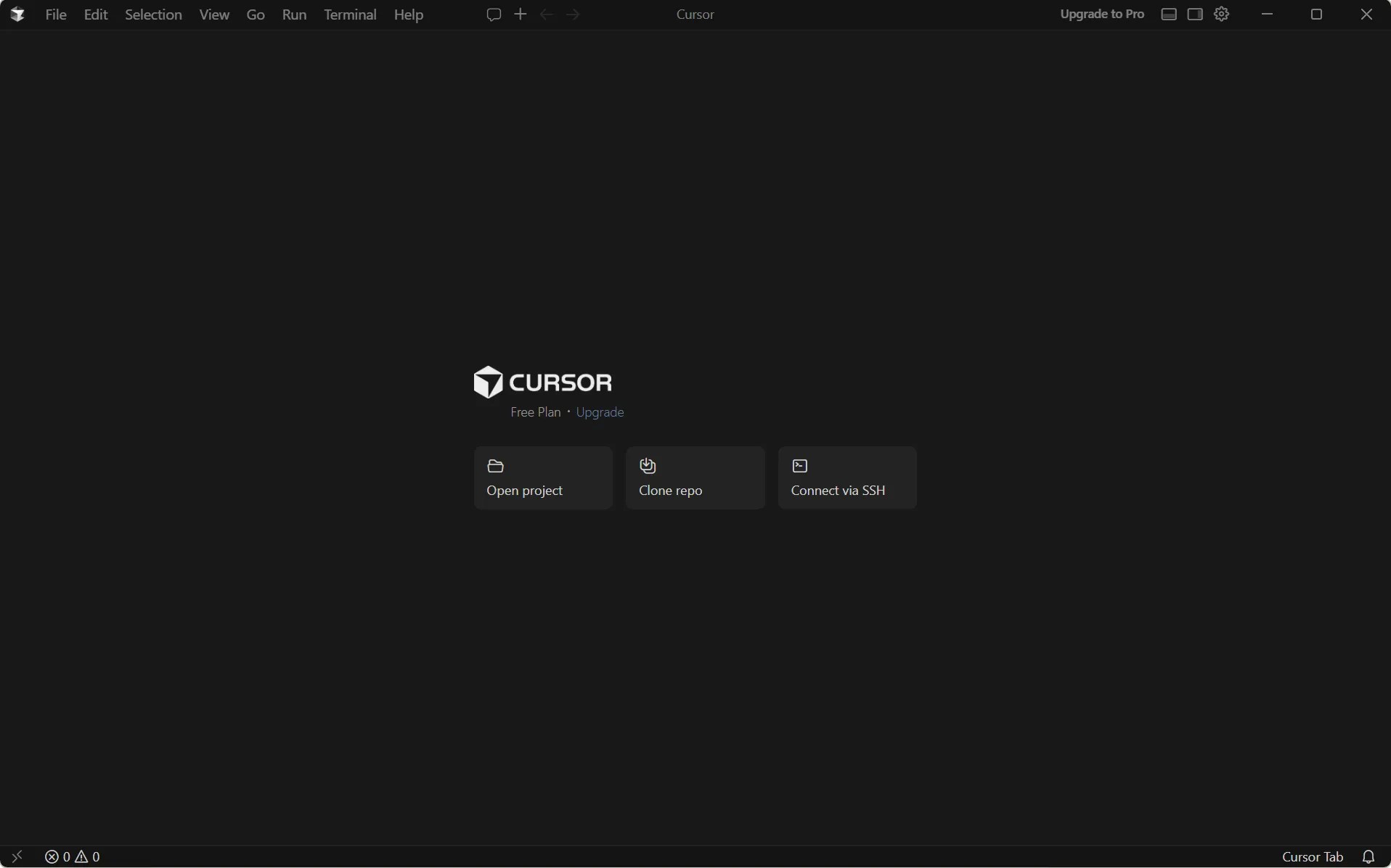
👉 Read more: Cursor Features & Capabilities Guide / Setup & Installation Guide / Complete Pricing Guide
Zed — My Current Daily Driver
🎯 Best for: CLI agent users who juggle multiple projects simultaneously
This is the editor I have used as my primary tool since late 2025. The most striking thing is the startup and shutdown speed — both under 1 second. I routinely have around 10 projects open at the same time, and memory usage stays around 2 GB. If you run resource-heavy tasks like ML training, Zed’s lightweight footprint is a massive advantage.
Zed’s built-in AI features are weaker than the competition, but it offers native Claude Code integration with seamless file context sharing. I do not use Zed as an AI editor per se — I use it as the best environment for running Claude Code.
⚠️ Worth Noting
You can drag and drop files into Claude Code from Zed, but the folder path information doesn’t seem to be passed along. Claude Code ends up searching for the file from scratch, which adds unnecessary friction. This is an area I’d like to see improved.
👍 Strengths
- Fastest and lightest — 10 projects open, only 2 GB of RAM
- Sub-second startup and shutdown. Zero friction
- Open source and completely free. No editor cost at all
👎 Weaknesses
- Extension ecosystem is still immature compared to VS Code
- CJK input issues with hotkey misfires (no fix timeline)
- AI features require external CLI agents. Completions need a separate GitHub Copilot subscription
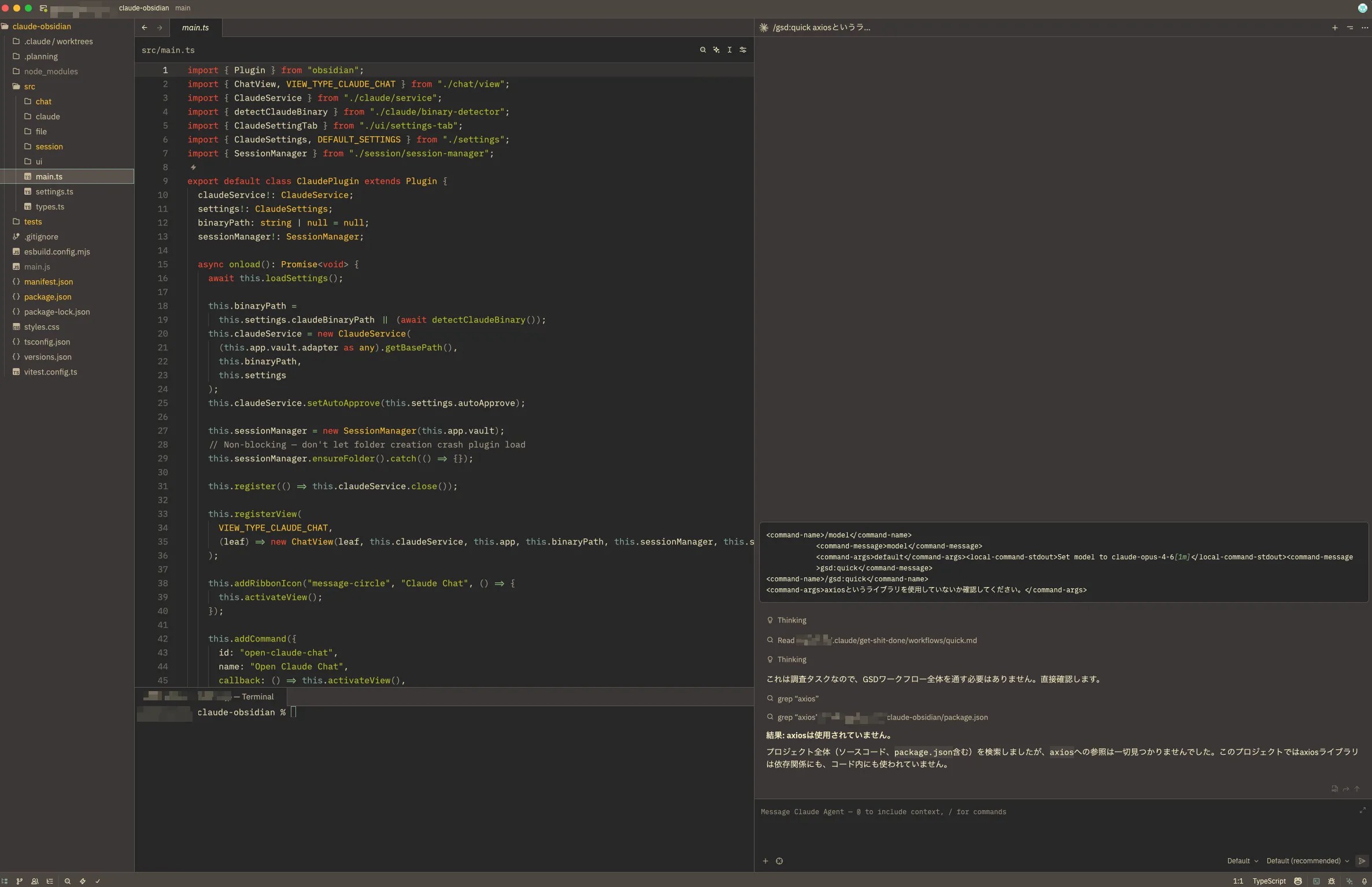
👉 Read more: Zed Features & Capabilities Guide
Devin Desktop (formerly Windsurf)
🎯 Best for: Developers who want maximum agent automation without CLI
In June 2026, Cognition renamed Windsurf to “Devin Desktop,” carrying over plans, extensions, and settings. The former local agent Cascade reached end of life on July 1, 2026; Devin Local, rewritten in Rust, is now the default. The new Kanban-style Agent Command Center manages local, cloud, and ACP-compatible external agents. I started using Windsurf in early 2025, and the old Cascade handled Kubernetes and complex design tasks impressively.
However, the “Cascade error” problem — where the agent gets stuck in a loop repeating the same mistake — became a major frustration and ultimately drove me away. After Cognition (Devin) acquired Windsurf, the development pace seems to have slowed. That said, the agent quality remains competitive even now. However, the new pricing plan has made costs less transparent, and the former affordability that once set Windsurf apart is no longer there.
⚠️ Real-World Pitfall
Cascade errors tended to occur when the task was too large for the selected model. But there were also periods where specific versions triggered errors constantly regardless of what you tried. I spent time switching models, splitting prompts, and experimenting with workarounds. On a separate occasion, I asked the agent to delete temporary work files, and it classified files I was still using as ‘unnecessary’ and deleted them in bulk. Fortunately, everything was under git, so I recovered — but it was a close call.
👍 Strengths
- Agent performance remains among the best in class
- Add-on credits no longer expire (an improvement). However, the old plan’s affordability is gone under the new quota system
- Self-contained without a CLI agent. You can delegate simple tasks here to save CLI credits
👎 Weaknesses
- Cascade error — agent loops on the same failure. This was my biggest frustration
- Development pace appears slower since the Devin acquisition
- Long-term integration with Devin is promising, but short-term update frequency has dropped
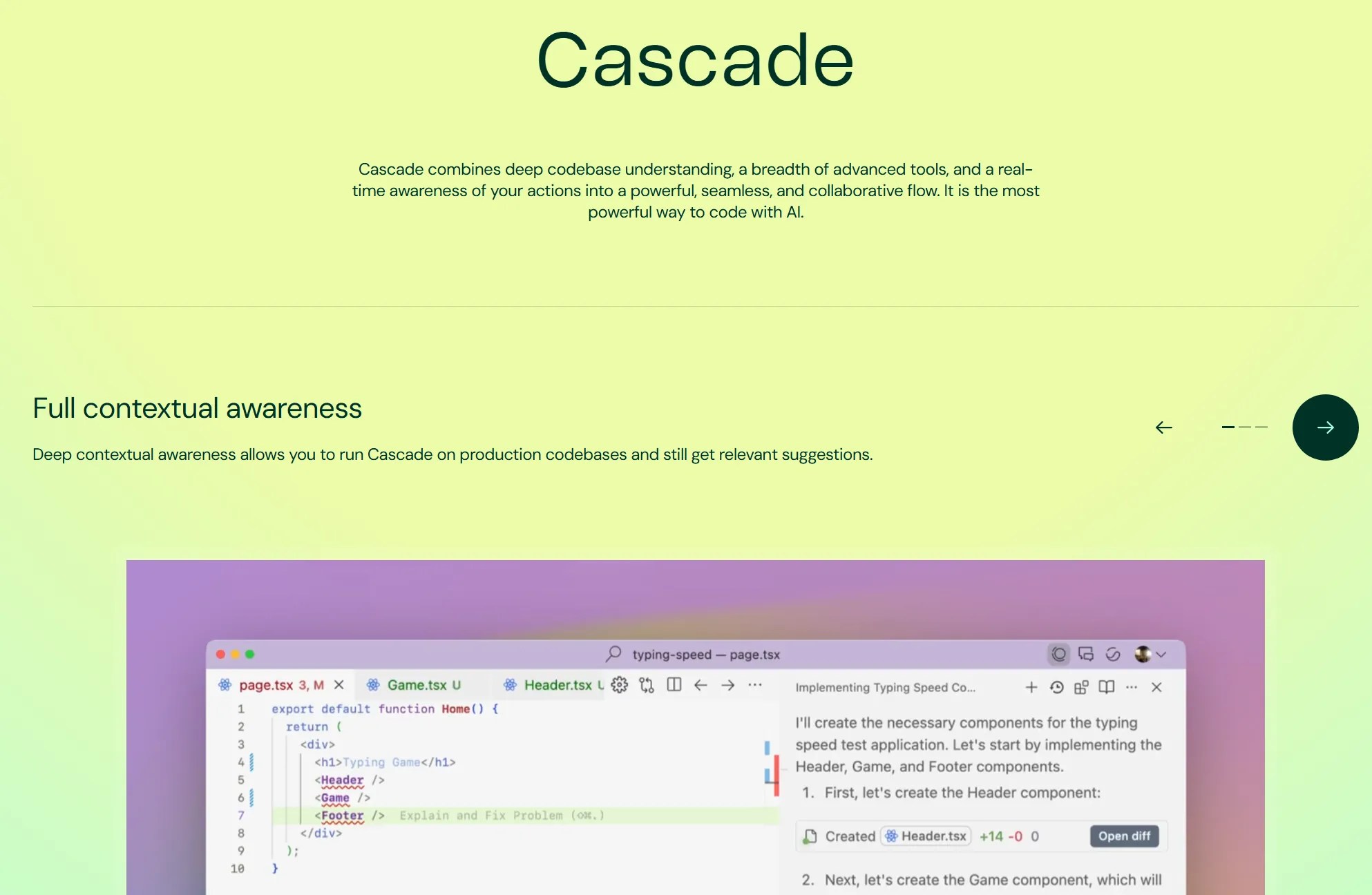
👉 Read more: Windsurf Features & Capabilities Guide
Antigravity
📝 For Reference — Didn’t Become My Main
I tested Antigravity in early 2026 and the agent quality was genuinely high — it produced solid code even on complex projects. However, the cost was prohibitive: I tried building a simple CLI tool, and after just about 10 back-and-forth exchanges, the credits were gone. The AI Pro plan lasted roughly 3 days. The top AI Ultra Max tier ($200/month, cut from $250 at Google I/O 2026) is effectively required, and I could never predict how much budget remained. I left quickly.
👉 Read more: Antigravity Features & Setup Guide
Kiro
📝 For Reference — No Longer Using
I tried Kiro in summer 2025. The Spec-driven development approach — writing a specification before implementation — was interesting initially and reduced backtracking. However, as Claude Code improved and surrounding tooling matured, the unique advantage faded. Other editors can now enforce similar structured workflows, and I no longer use Kiro.
Editor + CLI Agent Combos — My Proven Workflow
Most AI code editor comparison articles evaluate editors in isolation. But in 2026, the real-world workflow often involves pairing an editor with a CLI agent. Here are the combinations I have actually tested and my honest assessment of each.
| Combination | My Assessment |
|---|---|
| Zed + Claude Code (my main setup) | Natively integrated with easy context sharing. One caveat: ACP-based operations can be unstable — sometimes it looks unresponsive but is actually working in the background |
| Devin Desktop standalone | No CLI agent needed. A great “cost splitting” strategy: handle simple tasks in Windsurf and route complex work to Claude Code |
| VS Code + Copilot | I have used completions, chat, and agent mode. Now I barely use anything except agent mode — and even that trails the competition in accuracy |
| Cursor + Claude Code | Have not tried this combo myself, but the agents would likely compete with each other. You would probably end up using Claude Code from the terminal via Claude Max |
My Current Workflow in Practice
My day-to-day is almost entirely Claude Code running inside Zed. I use Zed’s editor features primarily to review files and verify what the agent is doing. It is no longer realistic to review every line of AI-generated code, so my main role in the editor has shifted to defining and validating the scope of what the agent executes.
After testing every trending tool as soon as it launched, I ultimately landed on Zed + Claude Code by prioritizing two things: task accuracy and a comfortable editing environment.
My biggest frustration with Zed is its weak CJK input support. Hotkeys misfire during Japanese input, which interrupts my workflow. I am hoping for a fix, but there is no timeline yet.
My Essential Rankings [2026 Edition]
After testing all 6 editors extensively, here are my rankings from two perspectives.
Agent Performance Ranking
The criterion here is simple: “Give it a task, walk away, and see how accurately it finishes.”
| Rank | Editor | My Take |
|---|---|---|
| 🥇 1st | Former Windsurf (Cascade) / Antigravity | Tied for first. Cascade handled K8s management reliably. Antigravity also delivered high-quality output on complex projects |
| 🥉 3rd | Kiro | Spec-driven approach ensures consistency, but the gap with competitors has narrowed |
| 4th | Cursor | Strong model choice and overall balance, but usage-based pricing requires cost monitoring |
| 5th | VS Code + Copilot | Agent mode is evolving, but it has not caught up with purpose-built AI editors yet |
* Zed is excluded because its standalone agent features are limited (it is designed to pair with external CLI agents).
Overall Ranking
This ranking factors in everything: AI capability, editor stability, extension ecosystem, community resources, and cost-effectiveness.
| Rank | Editor | My Take |
|---|---|---|
| 🥇 1st | Cursor | Best balance of AI integration, stability, and community support |
| 🥈 2nd | Devin Desktop | Top-tier agent performance. New pricing feels less affordable, but self-contained workflow remains a strength |
| 🥉 3rd | VS Code + Copilot | Unmatched extension ecosystem. A rock-solid, dependable choice |
| 4th | Antigravity | Great agent, but hard to recommend at $200/month for the top Ultra Max tier |
| 5th | Kiro | Interesting Spec-driven concept, but differentiation is fading |
* Zed is excluded because it requires a CLI agent pairing (it is my daily driver, but not a universal recommendation).
Best Pick by Use Case
New to AI Editors
→ Cursor
Seamless migration from VS Code and the largest community. Start with Cursor, then explore others as you develop your preferences.
Agent Automation First
→ Devin Desktop (formerly Windsurf)
Choose it when you want Devin Local and ACP-compatible external agents organized in one Agent Command Center.
CLI Agent + Lightweight Editor
→ Zed + Claude Code
My primary setup. 10 projects open at 2 GB RAM. Once you experience this speed, there is no going back.
Keep Your Existing Setup
→ VS Code + Copilot
Leverage your existing extensions and settings as-is. Copilot’s Agent mode improvements are steadily closing the gap.
Free Tier Reality Check — An Honest Assessment
“Free AI editor” sounds appealing, but what are the actual limitations? Here is what I found after testing each free tier hands-on.
| Editor | What You Get for Free | My Honest Take |
|---|---|---|
| Devin Desktop Free | Light quota + unlimited free models | Enough for maybe one simple web app per month. Free models are weak and often ignore instructions. Text completions are unlimited, so it works as a basic editor |
| Cursor Free | Limited completions & chat | Fine for building a simple web app. Completion limits make real development painful. Auto mode accuracy has improved but it is still trial-tier only |
| Zed | Editor is fully free (OSS) | No limitations as an editor. But AI features require a separate Claude Code subscription, and completions need GitHub Copilot |
| Antigravity Free | Small credit allowance | Most restrictive free tier by far. Usage tracking is opaque. Even AI Pro hits limits too quickly for real development — AI Ultra Max ($200/month) is practically required |
💰 Do you know your true AI tool costs?
Beyond editor pricing, simulate your total cost including Claude Code, GitHub Copilot, and API fees.
Try the AI Cost Simulator →👉 Read the detailed 9-service pricing comparison & simulator article
Overlooked Factors in Any AI Code Editor Comparison [2026]
AI code editor comparison articles tend to focus exclusively on AI performance. But since this is a tool you use for hours every day, the following factors matter just as much.
| Factor | Why It Matters | My Top Pick |
|---|---|---|
| Startup Speed & Footprint | Critical if you juggle multiple projects | Zed (1-second startup, 2 GB for 10 projects) |
| Extension Ecosystem | Foundation of your development experience | VS Code > Cursor > others |
| Community & Documentation | Directly impacts your ability to self-solve issues | Cursor > VS Code > others |
| Platform Stability | More important than raw speed. Claude’s frequent outages have caused real problems in my work | Cursor (most stable) |
| Model Selection Flexibility | Whether you can use your preferred model | Cursor (most flexible) |
* Based on my evaluation as of June 2026.
⚠️ Common Mistakes When Choosing an AI Code Editor
- Choosing based on AI performance alone: You will use this tool for hours every day. Always verify the basic editing experience before committing
- Judging only the free tier: Free plans can be severely limited. If you plan to use it for real work, compare the paid plans’ features and limits
- Underestimating switching costs: Migrating settings, relearning shortcuts, verifying extension compatibility — the transition takes more time than you expect
Cursor vs Windsurf, Cursor vs Antigravity — Deep Dives
This article covers all 6 editors at a high level. For the most popular head-to-head matchups — Cursor vs Windsurf and Cursor vs Antigravity — I have written dedicated deep-dive articles.
- 👉 Cursor vs Windsurf: Complete Comparison of Pricing, Features & Agent Performance
- 👉 Cursor vs Antigravity: Google AI vs VS Code Fork — How to Choose
Related Articles
For detailed feature breakdowns and setup guides for each editor, check out these individual articles.
- 👉 VS Code Features & Tips Guide [2026]
- 👉 Cursor Features & Capabilities Guide [2026]
- 👉 Zed Features & Capabilities Guide [2026]
- 👉 Windsurf Features & Capabilities Guide [2026]
- 👉 Antigravity Features & Setup Guide [2026]
- 👉 AI Cost Comparison & Simulator Tool [9 Services, 2026 Edition]
Frequently Asked Questions (FAQ)
Q1. Which AI code editor do you recommend most?
For anyone new to AI editors, I recommend Cursor first. It offers a smooth transition from VS Code, the largest community, and a well-balanced feature set with no glaring weaknesses.
Q2. How much did your productivity change after switching to an AI editor?
In my experience, projects that previously took months now take 1 to a few weeks. On top of that, I can run 2–3 agents in parallel, which means my total development throughput has increased several times over.
Q3. Have you ever had a serious failure with an AI agent?
Yes. I once asked an agent to delete some temporary files, and it ended up deleting a large number of important files instead. Fortunately, everything was under Git version control, so I recovered without data loss — but it was a close call. I strongly recommend always using version control when delegating destructive operations to an agent.
Q4. Are there any truly free AI code editors?
Zed Personal is free and includes 2,000 accepted edit predictions plus external-agent use. Devin Desktop Free includes a light agent quota with unlimited inline edits and Tab completions. Cursor Free and Kiro Free (50 credits) are also trial-oriented. Antigravity Free uses a weekly quota and exposes all features, but sustained development generally calls for a paid tier.
Q5. Which AI code editor offers the best value for money?
For the editor alone, Zed wins (free and open source). For total cost including AI, Cursor‘s Pro plan ($20/month) offers the best balance of transparency and community support. Windsurf used to be the value champion, but the new pricing plan has made costs less predictable. Kiro ($20/month) is also worth considering for straightforward pricing.
Q6. Is it worth using multiple AI editors at the same time?
I do this myself. The upside is being able to match the right editor or agent to each task. The downside is higher costs and the overhead of maintaining multiple environments. Practically speaking, one primary editor plus one secondary is a realistic sweet spot.
Q7. Which AI code editor has the most momentum in 2026?
Cursor and Windsurf lead the pack. Meanwhile, the rise of CLI agents like Claude Code is creating an entirely new workflow where you rely less on the editor’s built-in AI. That shift is exactly why I moved to Zed.
Final Verdict — The Definitive AI Code Editor Comparison [2026]
My daily driver is Zed + Claude Code. For most developers, Cursor is the safest bet.
Having switched from VS Code to Cursor to Windsurf to Zed over 3 years, here is my final AI code editor comparison verdict: newcomers should start with Cursor, multi-agent developers should consider Devin Desktop, and CLI enthusiasts should try Zed + Claude Code. Pick the one that matches your development style.
Every editor on this list offers a free tier. Install the one that interests you most and give it a full week on a real project — that is the only way to know for sure.


![Devin Desktop (formerly Windsurf) vs Zed: AI Features, Performance & Pricing [2026]](https://i0.wp.com/devgent.org/wp-content/uploads/2026/03/windsurf-vs-zed-eyecatch.webp?fit=300%2C167&ssl=1)

🔥 Most Popular
- Claude Desktop Won't Install? Windows & Mac Fixes That Worked (2026)
- Obsidian Visualization Tools: Graph, Canvas, Excalidraw (2026)
- LM Studio Bionic Preview: Local Open-Model Agent for Docs and Code
- Japan's AI Third Pole Strategy: Reducing US LLM Dependency and Performance Realities
- Claude Code CLI vs Web vs Desktop: A Daily User's Guide (2026)



Leave a Reply